Published September 15, 2026
This is a complete walkthrough, from the MCP server’s code to a proven bug. We take a real read-only database tool, install RedMirror, wire it into a coding agent (Pi), and run one open-ended audit: “find security vulnerabilities,” no hint about what’s wrong. RedMirror discovers and proves a read-only bypass with a concrete attack path. Every command and every line of output below is from the real run.
An MCP server hands a coding agent real tools: here, a tool that runs SQL with your database credentials. The agent is prompt-injectable through anything it reads, so a tool’s only defence is the guard it claims to enforce. Let’s check whether this one’s guard is real.
The tool
A minimal MCP server exposes one tool, RunSQL. When the source is configured read-only, the tool is supposed to reject every write. It decides what counts as a write with isWrite():
// Package tools implements the MCP server's SQL tool. When the source is
// configured read-only, the tool must reject any write.
package tools

import "strings"

type Source struct{ ReadOnly bool }

type Pool struct{}
func (p *Pool) RunAny(sql string) error { /* executes the FULL statement as-is */ return nil }

// isWrite decides whether sql is a write by its FIRST keyword.
func isWrite(sql string) bool {
    s := strings.ToUpper(strings.TrimSpace(sql))
    switch {
    case strings.HasPrefix(s, "INSERT"), strings.HasPrefix(s, "UPDATE"), strings.HasPrefix(s, "DELETE"):
        return true
    default:
        return false
    }
}

// RunSQL is the MCP tool the agent calls. In read-only mode it must block writes.
func (s *Source) RunSQL(p *Pool, sql string) error {
    if s.ReadOnly && isWrite(sql) {
        return &roErr{}
    }
    return p.RunAny(sql)
}
Read it and the bug is quietly there: isWrite() only recognises INSERT, UPDATE, DELETE. Anything else (DROP, TRUNCATE, ALTER) is classed as “not a write”, so the read-only check waves it through. The question is whether that’s actually reachable, or just theory. That’s what RedMirror settles.
Step 1
One binary, no account:
$ curl -fsSL https://dist.redmirror.io/install.sh | sh
$ redmirror-reflect --version
redmirror-reflect 0.7.0
Step 2
From your MCP server’s repo, point RedMirror at whatever coding agent you use. Here it’s Pi:
$ redmirror-reflect init pi
reflection: wrote the flow extension + skill to .reflection/pi-ext/
reflection: registered the tools in .pi/settings.json (project-local).
  gate(ci)         ->  .github/workflows/reflection-gate.yml   (required check: `redmirror-reflect audit`)
  gate(pre-commit) ->  .git/hooks/pre-commit                    (blocks a commit on an un-grounded finding)
That gives your agent the tools to run the audit, and installs a commit/CI gate as a backstop; more on that at the end.
Step 3
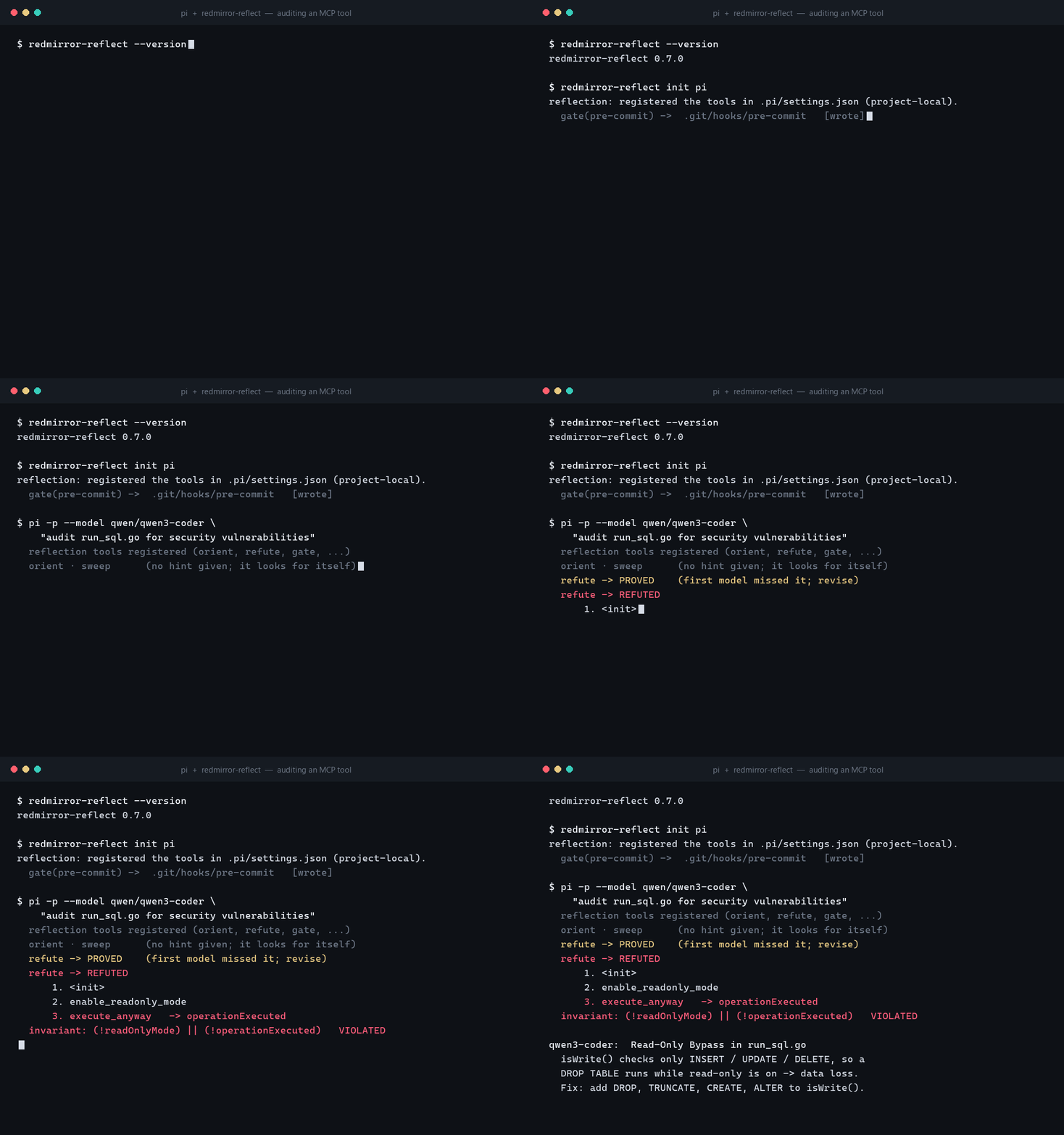
Now ask the agent to audit run_sql.go, and note the prompt says nothing about read-only, or any specific flaw. Just “find security vulnerabilities.” This is the step that checks your code: the agent reads the tool, decides for itself what invariant matters, and RedMirror’s kernel searches the tool’s own logic for a way to break it.
$ pi -p --model qwen/qwen3-coder \
    "audit run_sql.go for security vulnerabilities"

  reflection tools registered (orient, refute, gate, ...)
  orient · sweep      (no hint given - it looks for itself)
  refute -> PROVED     (first invariant missed it; revise)
  refute -> REFUTED
      1. <init>
      2. enable_readonly_mode
      3. execute_anyway   -> operationExecuted
  invariant: (!readOnlyMode) || (!operationExecuted)   VIOLATED
No one told it what to look for. It oriented over the file, tried an invariant the kernel PROVED (so it revised), and landed on REFUTED: a reachable counterexample. Each verdict is a signal it revised against, and because the kernel decides, a cheap model can drive this and still can’t manufacture a false alarm.
The finding
Verbatim from the run, the agent’s report:
Read-Only Bypass in run_sql.go
isWrite() checks only INSERT / UPDATE / DELETE, so DROP TABLE is
classed as "not a write". Attack path: enable read-only, submit
"DROP TABLE users"; the check `s.ReadOnly && isWrite(sql)` is
true && false = false, so RunAny(sql) executes it - data loss on
a read-only connection. Fix: add DROP, TRUNCATE, CREATE, ALTER.
That is a proof about your code: a concrete sequence (turn on read-only, send a DROP TABLE) that reaches a state the tool promised was impossible. Not a pattern match, not an opinion. Driven by a prompt-injectable agent with your database credentials, it’s a real path to dropping a table on a “read-only” connection.
Beyond this bug
The read-only bypass is one shape of the broadest MCP problem: a guard the tool advertises that a shaped request slips past. The same audit catches an allow/deny-list bypass (a dangerous flag the check never inspects) or an auth-required tool a crafted call reaches anyway. You point RedMirror at the tool, and it either breaks the guard with a path or confirms it holds. The other classes worth auditing on an MCP server:
And the honest edges, so you know where the line is. RedMirror does not “detect prompt injection”. That’s the threat that makes all of these reachable; it proves what an injected agent could then do with your tools. And a server simply deployed wide open, with no auth on its transport, is a configuration fix, not a code bug; worth checking, but separately.
Keeping it fixed
Two honest points. First, the audit is the part that checks your code: you run it against your tools, or your agent does as part of its work. Second, the commit and CI gate that init installed is a backstop, not a scanner: it blocks a finding the audit raised but never grounded from slipping into your history. A finding counts only when the kernel confirms it, and nothing unconfirmed ships. It’s the same check on your machine and in CI, so it holds for every coding agent and for human commits, and your MCP server’s code never leaves your machine.
Install RedMirror, run redmirror-reflect init to wire it into your coding agent, then ask the agent to audit each tool. For every guard the tool claims to enforce - a read-only mode, an allow-list, an auth check - RedMirror either proves it can be bypassed, with a concrete attack path, or confirms it holds. It runs on your machine with your own model; your code never leaves it.
The tool's isWrite() decides whether a statement is a write by its first keyword and only recognises INSERT, UPDATE and DELETE. A DROP TABLE is therefore classified as not-a-write, so the read-only check lets it through and the pool runs it. RedMirror refutes the read-only invariant with the path enable_read_only then submit_drop_command, where the write executes.
The audit step is where the code is checked: the agent reads the tool and RedMirror's kernel searches the tool's own logic for a reachable state that breaks the guard. A finding counts only when the kernel produces that reachable counterexample, so it is a proof about your code, not a guess.
No. The commit and CI gate is a backstop: it blocks a finding that the audit raised but never grounded from shipping. The scanning is the audit step you run against your tools; the gate enforces that nothing unconfirmed slips into your history.
Beyond the access-control bypass shown here (a read-only mode, an allow/deny list, or an auth check that a shaped request slips past), RedMirror audits injection - a tool building a shell command or SQL from the agent's input, which it traces to the sink and runs to confirm - and broken authorization, where a caller reaches a record it should not. It does not detect prompt injection itself: that is the threat that makes these reachable, and RedMirror proves what an injected agent could then do with your tools.
No. RedMirror Reflection runs as a single binary on your own machine with your own model, local or cloud. Your MCP server's code never leaves it.
RedMirror Reflection ships as a single binary, bring-your-own-model, runs entirely on your machine. Access is by request: tell us what you'll use it for and we'll get back to you.
Point it at your tools and let the kernel prove which guards actually hold.
Request access →